Customer site
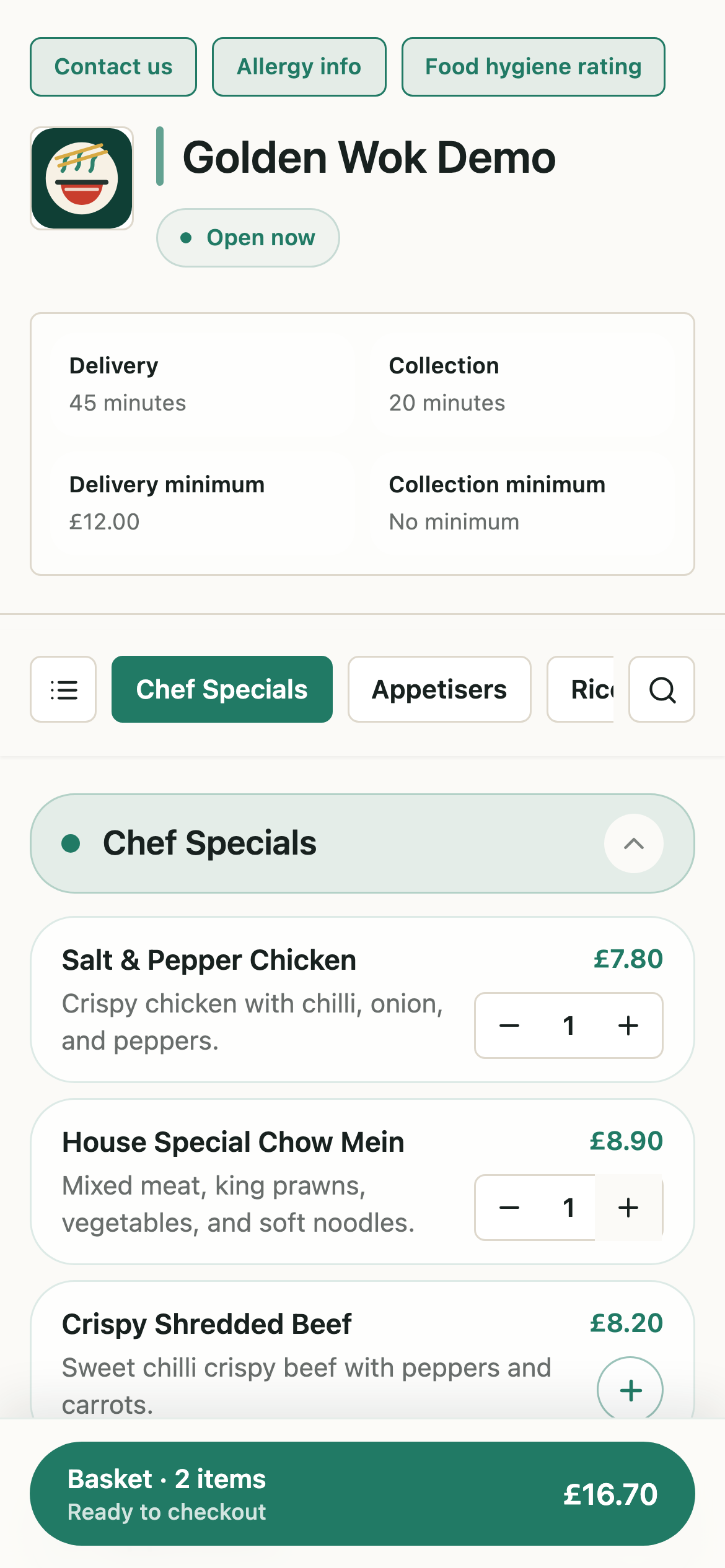
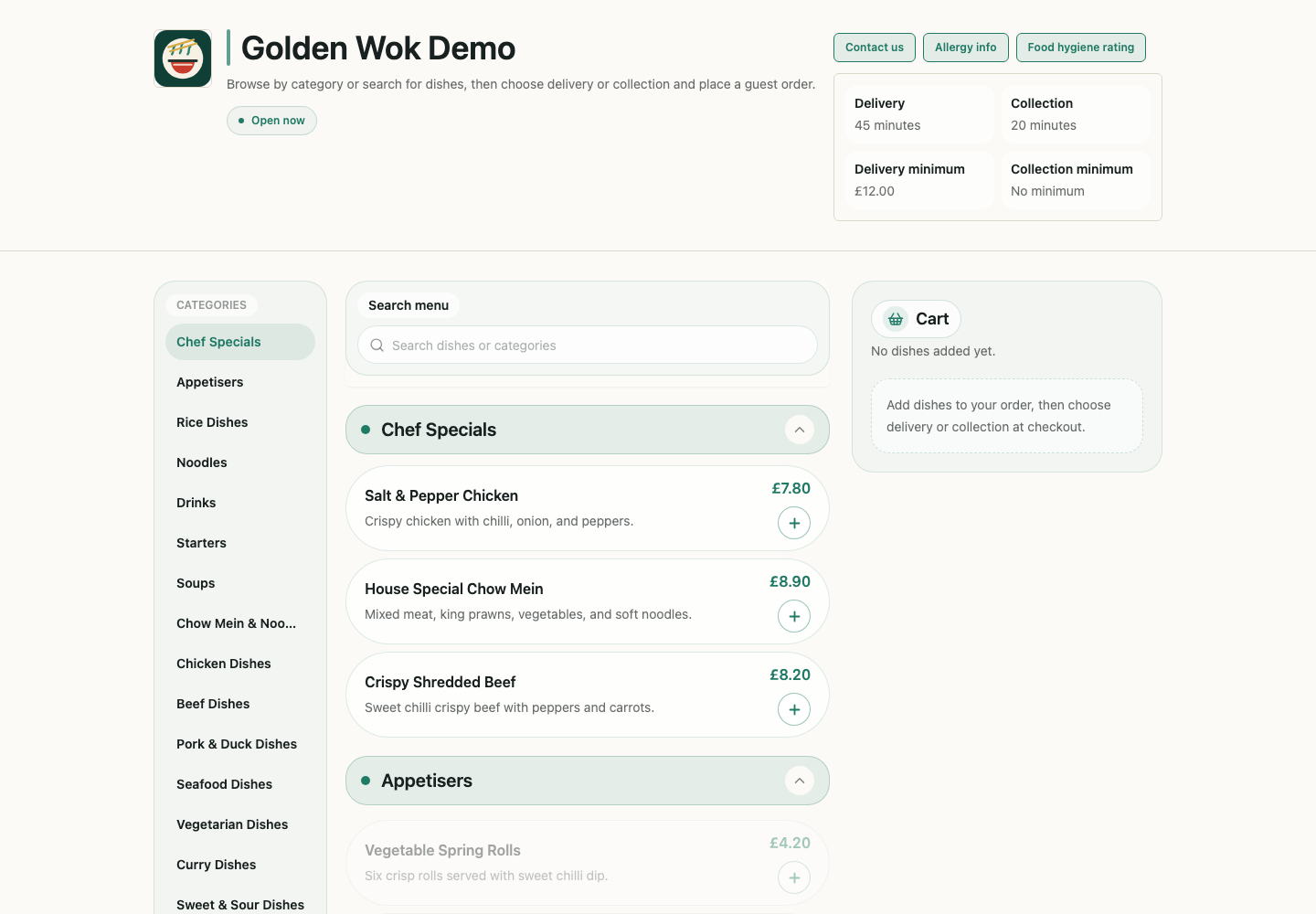
Browse and add dishes
Customers use a restaurant-owned ordering site to browse menus and add dishes from mobile or desktop.
UORDERLY BY KORYVO
UOrderly is a SaaS platform that helps takeaway restaurants run their own online menus and ordering websites. It covers the working path from a customer order to the kitchen receipt.
The product has its own site at www.uorderly.com, in English and Chinese, where restaurants can read the full product detail and apply for a trial.
Product boundary
Software infrastructure for restaurants. Not a takeaway marketplace and not a food fulfilment service.
WHAT IT COVERS
The product follows the path a takeaway restaurant actually works through: publish a menu, take the order and the payment, price the delivery, print to the kitchen, keep the customer record, and review the day through a tenant-aware platform.
Ordering websites
Each restaurant runs its own branded ordering site with guest checkout, on its own domain where it has one. Customers do not create an account or install an app.
Live order handling
A new order alerts every signed-in staff device with a popup and a sound, then moves through accept, prepare, and complete.
Kitchen printing
An accepted order queues a thermal receipt for the kitchen printer, so nothing has to be retyped during service. A dedicated Android app runs the printer and carries the order alerts on the restaurant tablet.
Payments and refunds
Card and cash orders are both supported. A card payment is refunded automatically when a restaurant rejects an order, and staff can issue a partial refund or answer a refund request later.
Menu management
Staff edit categories, dishes, photos, options, set meals, and availability themselves, without waiting for a developer.
Allergen information
Dishes carry the fourteen UK allergen categories. A customer can declare an allergy at checkout, and anything in the basket that conflicts with it is flagged before the order is placed.
Delivery pricing
Delivery fees and minimum spend are calculated from the distance to the customer postcode, measured either in a straight line or by road.
Counter and phone orders
Staff can raise an order at the counter or over the phone from the same dashboard, and a printed QR code puts the menu in front of a customer who is already in the shop.
Operating controls
Opening hours, trading state, and pre-orders while closed decide when a restaurant is taking orders. Accepted orders can also close themselves once the promised time has passed.
Vouchers and follow-up email
Discount codes at checkout, campaign vouchers for the whole shop, one-off vouchers for a customer who had a problem, and voucher emails for customers who have not ordered for a while.
Customer records
Orders build a customer list the restaurant keeps, with contact details, order history, and notes staff add themselves.
Sales reporting
Daily revenue, order counts, average order value, refunds, top selling dishes, peak hours, and the split between card and cash.
CUSTOMER FLOW
The restaurant customer can browse, add dishes, choose collection or delivery, and submit an order from a compact mobile checkout.
Customer site
Customers use a restaurant-owned ordering site to browse menus and add dishes from mobile or desktop.
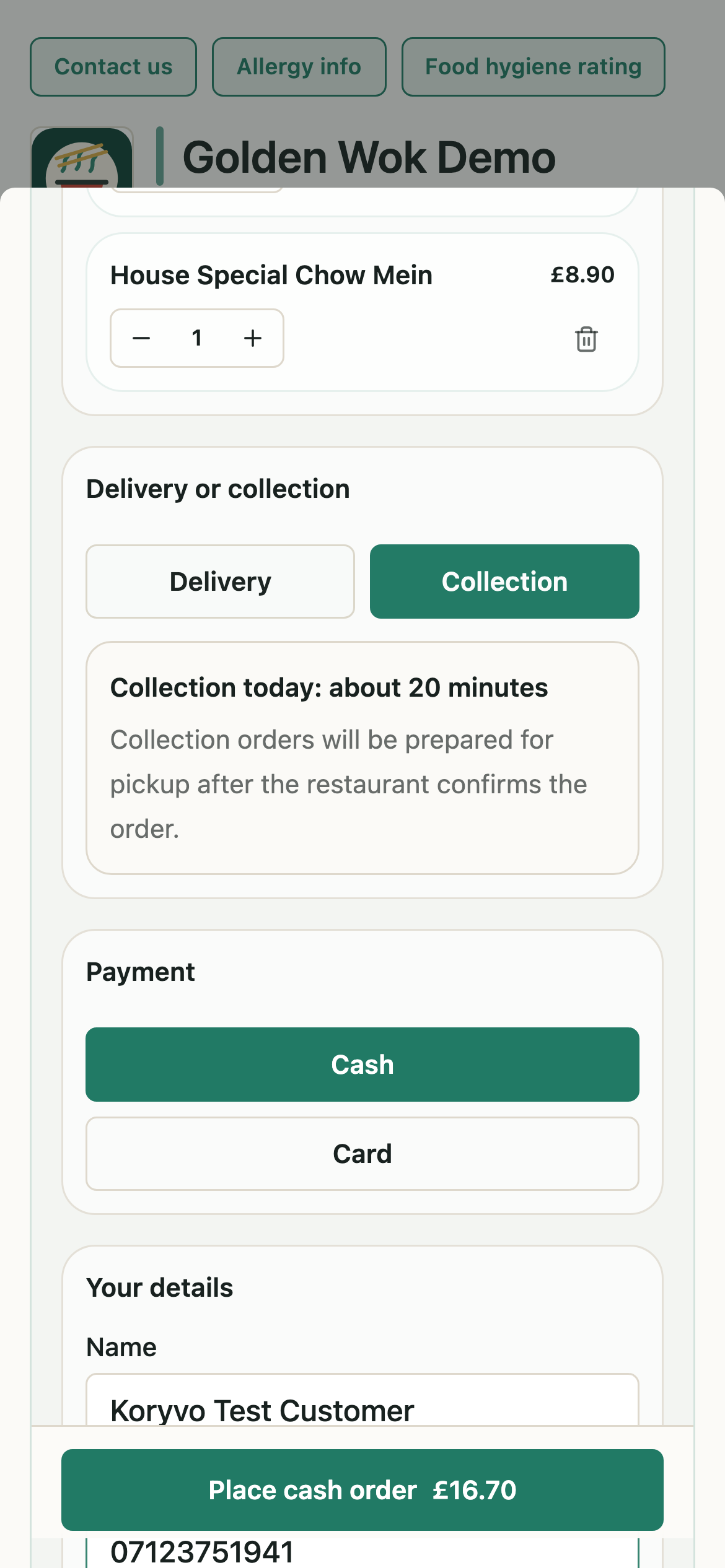
Checkout
The checkout captures fulfilment type, payment method, customer details, and acceptance of terms. Delivery orders are priced from the customer postcode before the order is submitted.
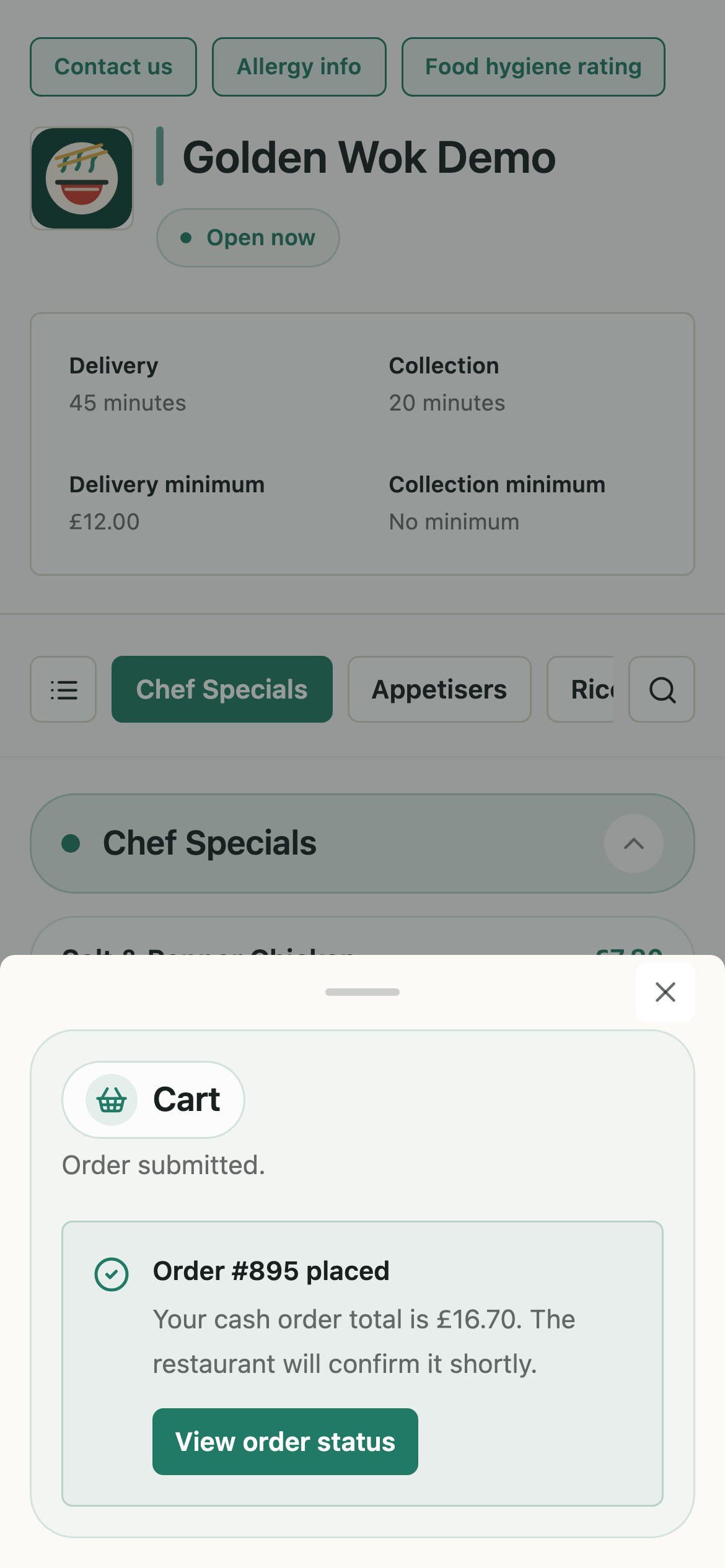
Confirmation
Customers see a clear confirmation with the promised ready time while the restaurant reviews the new order.
RESTAURANT ADMIN
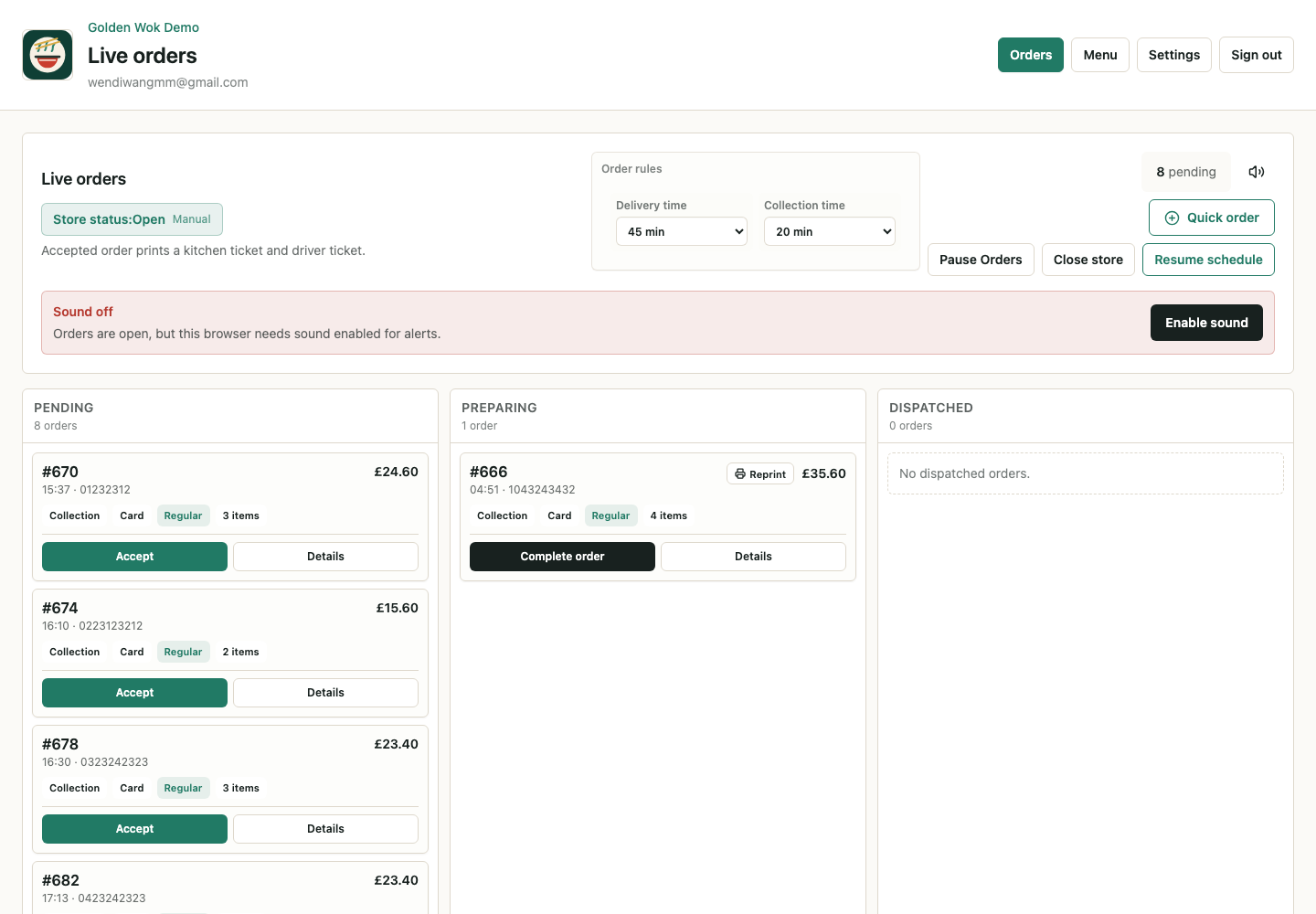
Staff have a focused dashboard for live orders, order details, receipt printing, refunds, and status changes.
A new order alerts every signed-in staff device. The board shows pending orders with fulfilment type, payment method, item count, and customer phone number.
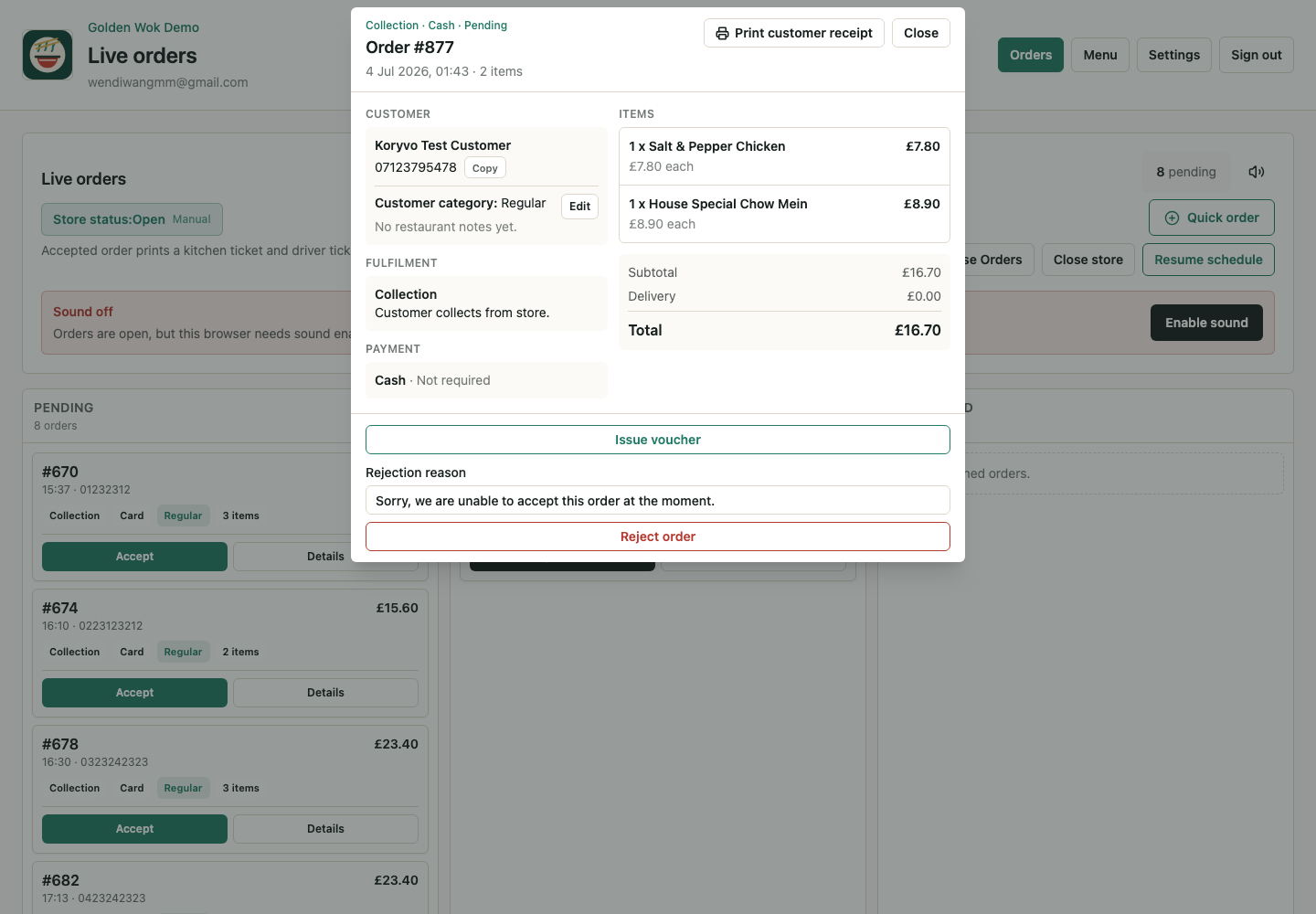
The detail view gives staff the customer, fulfilment, payment, and item information needed to handle the order.
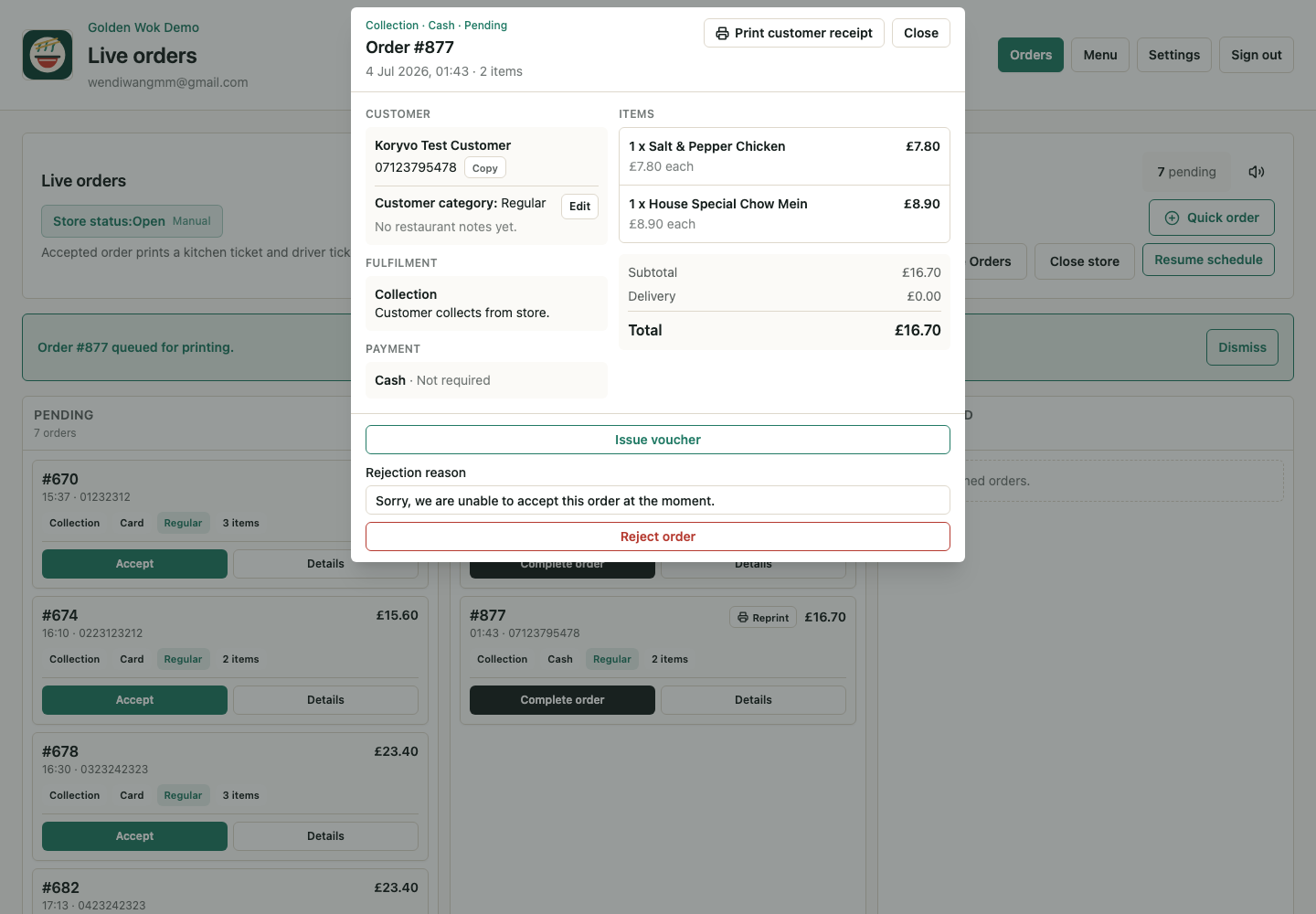
Once accepted, an order moves into preparation and queues its kitchen receipt. Restaurants can let accepted orders complete on the promised time, or handle every step by hand.
PLATFORM OPERATOR
UOrderly includes platform-level views for tenants, orders, and payment controls. This supports software operations without making Koryvo the restaurant operator.
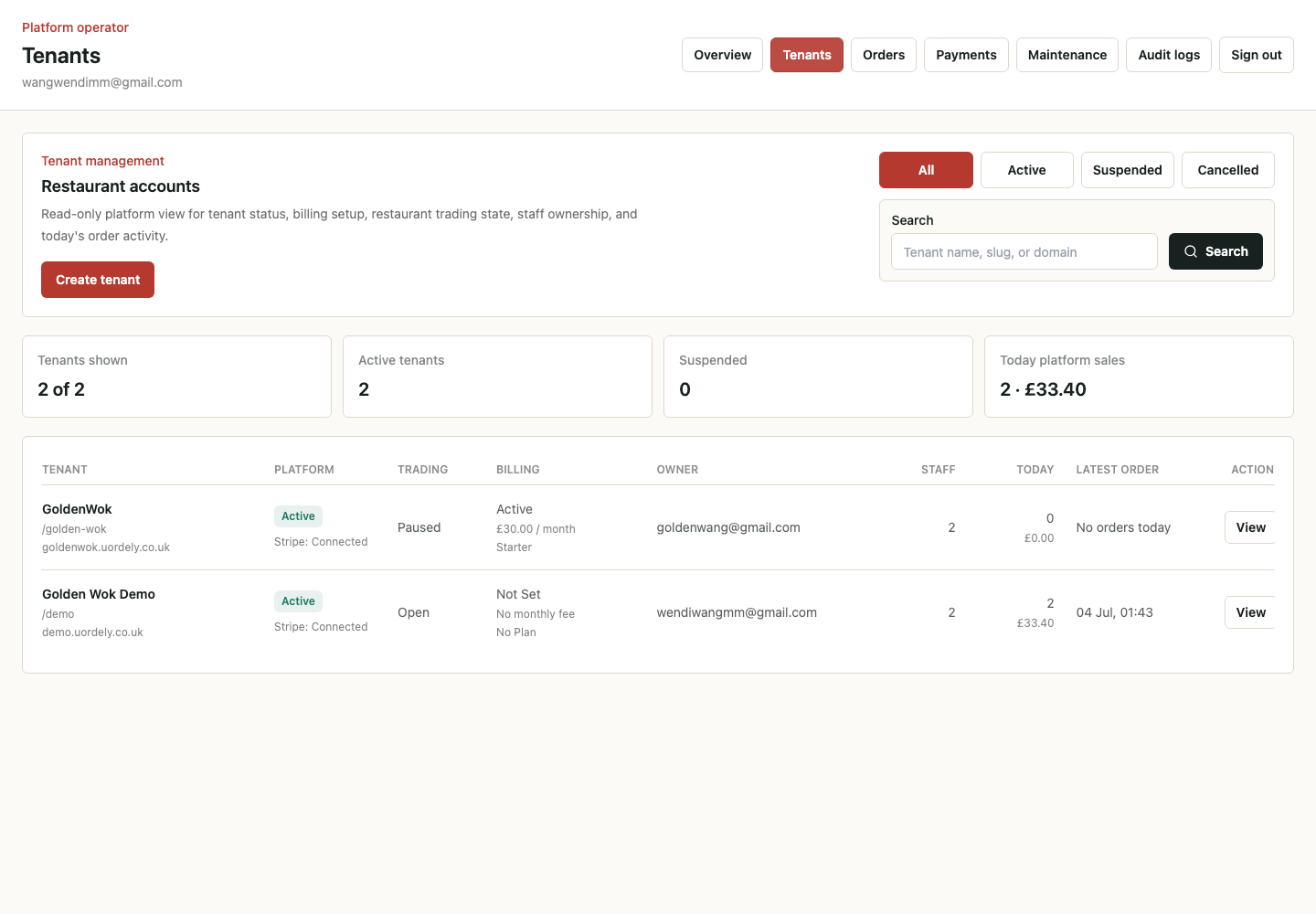
Operator tools for restaurant accounts, platform status, owner details, staff counts, and recent activity.
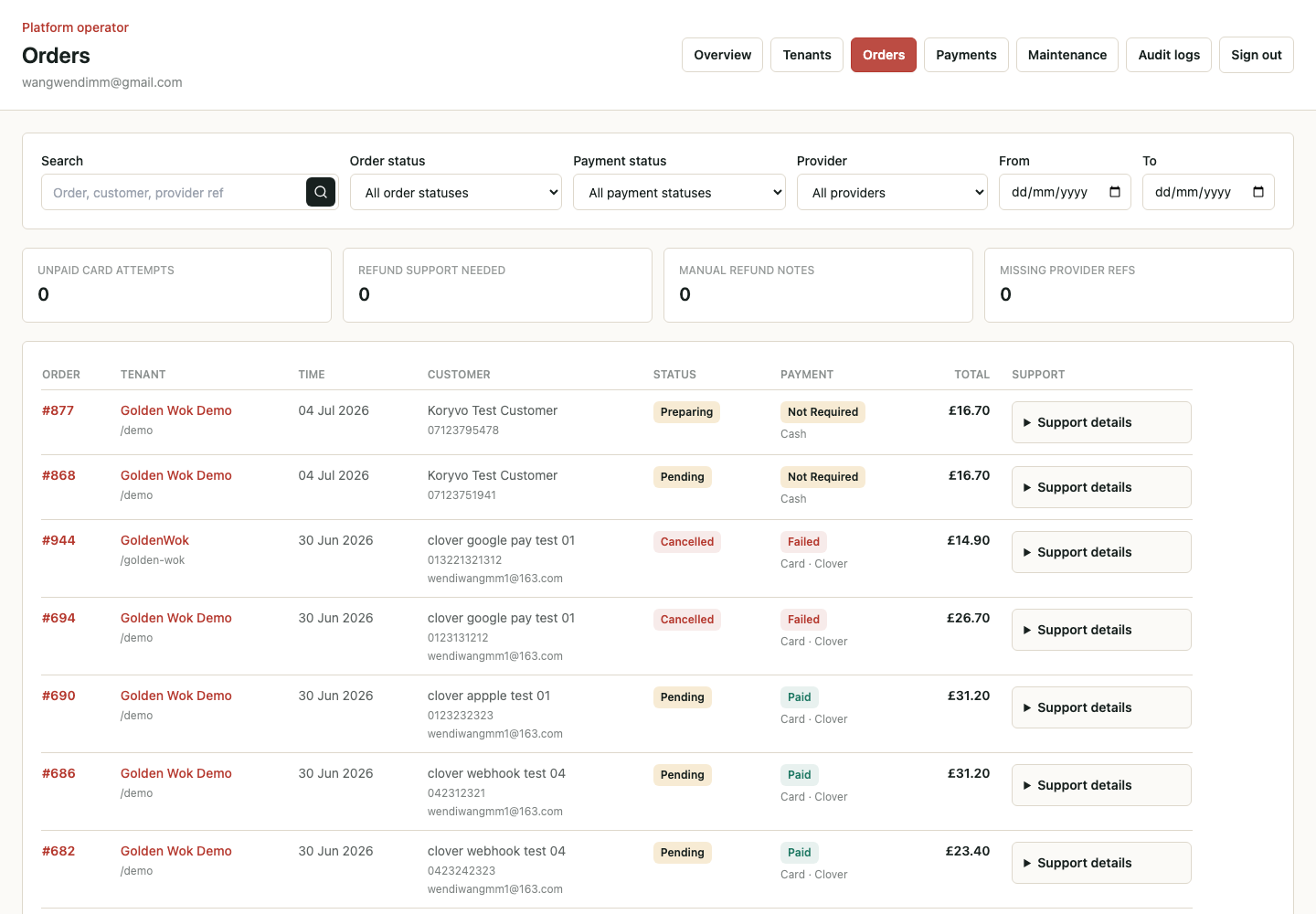
A cross-tenant view for reviewing order activity without turning the platform into a food operator.
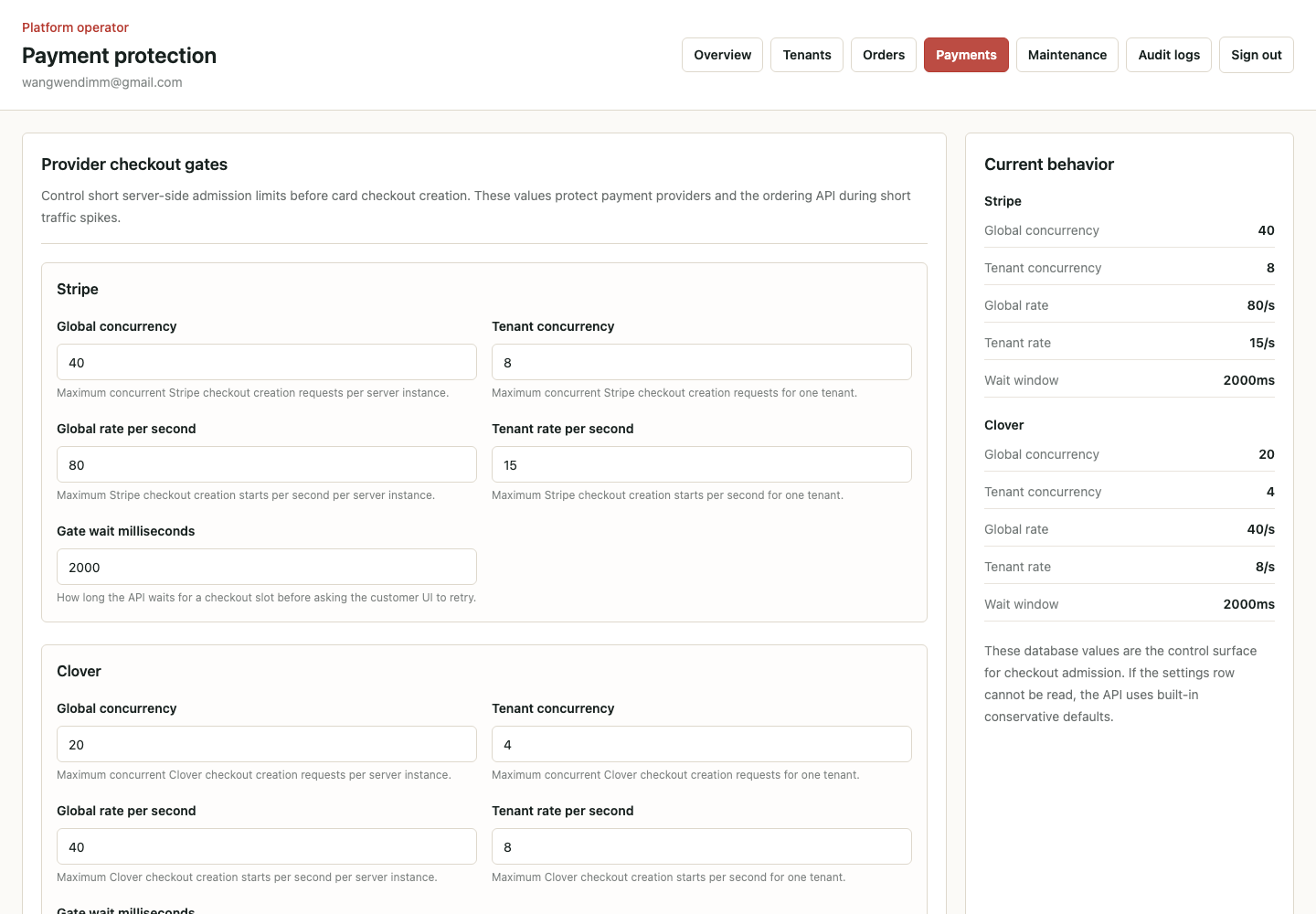
Operational controls for provider checkout gates, concurrency limits, and wait windows.
RECORDED FLOW
The demo shows a customer creating a collection order, then restaurant staff reviewing and accepting it in the admin dashboard.
Koryvo builds software infrastructure. It does not operate a takeaway marketplace, sell food directly to consumers, prepare food, or deliver restaurant orders.
UOrderly is Koryvo's first product and is available to UK takeaway restaurants. It is in live trading use, taking real customer orders during service.
The screenshots and video on this page were captured in the test environment for product presentation. They show an earlier release and may differ from the product as it stands today.
FOR RESTAURANTS
UOrderly is sold and supported from its own site. It carries the full product detail, the plans, and the trial application form, in English and Chinese.
www.uorderly.comFOR BUSINESS ENQUIRIES
Contact Koryvo Ltd for company, commercial, partnership, or due diligence enquiries about UOrderly.
contact@koryvo.co.uk